
따꿍의 프로젝트
[에디터] 모바일 환경에서 게시글 작성시 AttachmentBar이 가상 키보드만큼 올라가도록 하기 본문
문제
QA 테스트중 에디터로 게시글 작성하면 AttachmentBar이 가상키보드만큼 위로 올라와서
AttachmentBar에 있는 에디터 버블메뉴를 좀 더 쉽게 접근할 수 있게 해달라는 요청이 있었다.
이 기능은 CommentInput에도 있어서 (코멘트 입력란은 가상키보드만큼 잘 올라감) 참고하면서 작업하려고 했다.
https://www.notion.so/snorose/AttachmentBar-3537ef0aa3bf80449b2fc244cd78dc5f?source=copy_link
https://github.com/snorose/snorose-front/issues/1622
[MODIFY] AttachmentBar이 키보드 생성시 같이 올라가도록 수정 · Issue #1622 · snorose/snorose-front
💡 기능 변경 개요 대상 기능: AttachmentBar와 에디터 변경 이유: 모바일 환경에서도 에디터 활용이 용이하도록 AttachmentBar이 키보드 생성 시 같이 올라가도록 수정할 예정입니다 🔄 변경 전후 비
github.com
기초 조사
CommentInput.module.css의 스타일과 AttachmentBar.module.css의 스타일을 확인했을시 별다른 차이가 없었다.

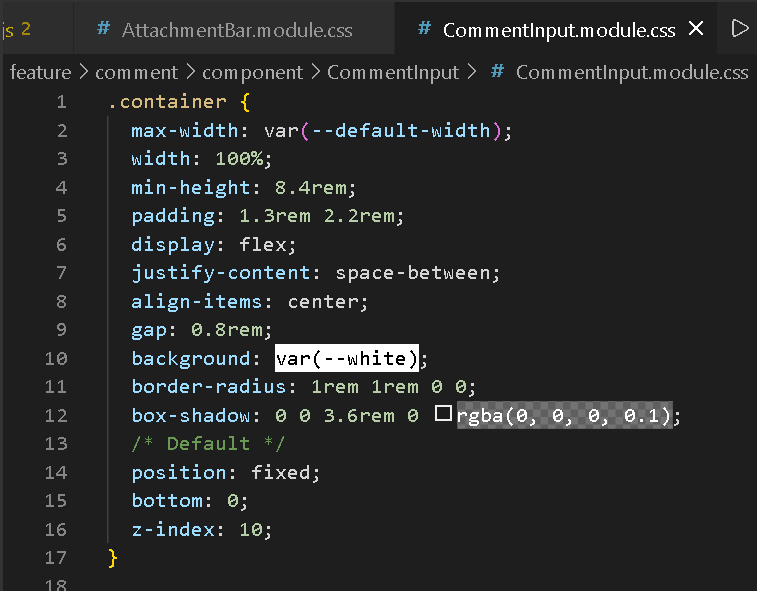
둘다 컴포넌트를 아래에 위치시키는 방식이
position: fixed하고
bottom: 0을 하고 있었다.
그러면 왜 CommentInput 컴포넌트는 자동으로 가상키보드 따라 올라가고
AttachmentBar은 따라가지 않은것인가?
그건 바로 브라우저 focus 정책에 있다.
브라우저는 포커스된 입력 요소를 자동으로 보이게 만든다.
CommentInput은 글 작성시 해당 컴포넌트 자체를 focus하니까 문제가 없고,
내가 작업할 AttachmentBar은 focus되는 글 작성 컴포넌트와 해당 컴포넌트와 서로 다르니 문제가 생기는 것이다.
근데 그렇다고 글작성 컴포넌트가 focus될시 AttachmentBar을 focus하면
사용자 입장에서는 당황스러우니
내가 직접 올려주는 방법밖에 없는 것 같다.
일단 focus가 문제인지 확인해보도록 하겠다.
입증을 위한 테스트
테스트를 위해 바꾼 내용만 기재했다
- AttachmentBar 안의 input중에 ref 걸기 쉽게 children 넘겨주기
- EditorContainer에 onFocus prop을 추가해서 에디터에 focus할시 어떤 작업을 해야할지 넘겨주기
(사실상 AttachmentBar 안의 input에 focus를 넘기는 작업)
AttachmentBar안의 input의 ref에다가 .current.focus()를 해주기
export default function WritePostPage() {
    const attachmentBarRef = useRef();
    return (
        /*...*/
        <EditorContainer
            /*...*/
            onFocus={(e) => {
                attachmentBarRef.current.focus()
            }}
        />
        <AttachmentBar
          attachmentsInfo={attachmentsInfo}
          setAttachmentsInfo={setAttachmentsInfo}
          editor={editor}
        >
          <input ref={attachmentBarRef} style={{ opacity: 0 }} />
        </AttachmentBar>
    )
}

export default function EditorContainer({/*...*/, onFocus}) {
    return (
        <>
            <div onFocus={onFocus}>
                <EditorContent/>
            </div>
        </>
    )
}

export default function AttachmentBar({/*...*/, children}){
    return (
        <div>
            {children}
        </div>
    )
}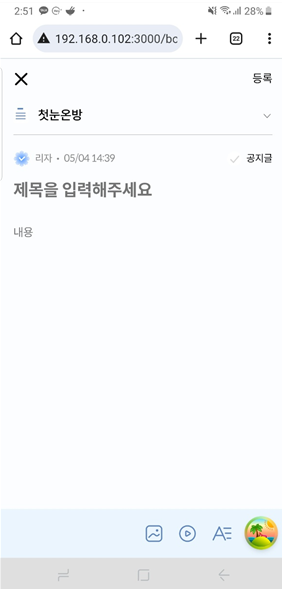
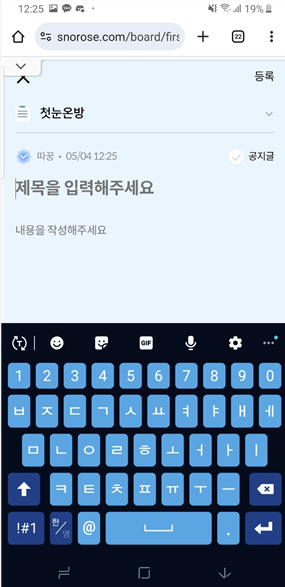
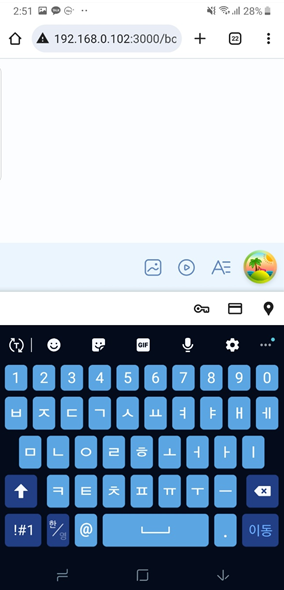
초기상태 / 테스트전의 작동모습 (화면이동X, attachmentbar 가려짐) / 테스트후의 작동모습 (attachmentbar 위치로 화면이동)
이로서 focus의 유무차이가 두 컴포넌트의 차이임을 증명했다.
허나 CommentInput처럼 작성하기에는 문제가 여러가지 있다.
1. Focus는 사실상 editor 컴포넌트에 부여해야한다.
2. 이렇게 AttachmentBar의 위치로 이동하는게 아니라, 화면은 안 움직이고 (그대로 editor이 보이는 상태로)
AttachmentBar이 위로 올라와야한다.
따라서, 그냥 새로운 로직을 짜야한다는 것을 깨달았다.
새로운 로직 짜기
스택오버플로우 여기저기 찾아보니까 VisualViewport API를 사용하는 방법을 추천했다
이는 resize이벤트를 듣게해주는 API로,
이름 안의 visualViewport는 on-screen keyboard / pinch-zoom 구역 밖의 구역들 / 등과 같은
페이지의 크기와 같이 scale되지 않는 요소들을 뺀
순수 사용 화면 크기 부위를 뜻한다.

https://stackoverflow.com/questions/41684804/how-to-get-keyboard-height-on-a-web-app
How to get keyboard height on a web app
This is for a web app, targeting any mobile browser but mainly Chrome and Safari for iOS10. The browser opens the built-in keyboard when the user clicks on any input, which is fine, but I am trying...
stackoverflow.com
AttachmentBar을 사용하면 바로 위치 조정 로직을 발동하게
useAttachmentUpload 훅에다가 useEffect를 생성하였다.
import { useEffect, useRef } from 'react';
export function useAttachmentUpload({/*...*/}){
    const attachmentBarRef = useRef();

    useEffect(() => {
    const vv = window.visualViewport;
    const handler = () => {
      requestAnimationFrame(() => {
        const keyboardHeight = window.innerHeight - vv.height;
        const offsetTop = vv.offsetTop;

        attachmentBarRef.current.style.transform =
          keyboardHeight > 0
            ? `translateY(-${keyboardHeight - offsetTop}px)`
            : `translateY(0px)`;
      });
    };
    vv.addEventListener('resize', handler);
    vv.addEventListener('scroll', handler);
    return () => {
      vv.removeEventListener('resize', handler);
      vv.removeEventListener('scroll', handler);
    };
  }, [attachmentBarRef]);

    const changeImageUpload = (e) => {}
    const changeVideoUpload = (e) => {}

    return {attachmentBarRef, changeImageUpload, changeVideoUpload}
}
이렇게 hook 내부에 ref를 생성해서, 리턴을 한 후
hook을 사용하는 컴포넌트에서 꺼내내서 연결하는것이 좋다
export default function AttachmentBar({/*...*/}){
    const { attachmentBarRef, changeImageUpload, changeVideoUpload } =
        useAttachmentUpload({
          attachmentsInfo,
          setAttachmentsInfo,
        });
    /*...*/
    return (
        <div ref={attachmentBarRef}></div>
    )
}
🤔 문제점: visualViewport resize시 키보드 높이 계산해서 translate로 직접 올려주는 방식은
스크롤할때마다 재계산해서 컴포넌트가 키보드에 의해 끌려가는 느낌을 준다.
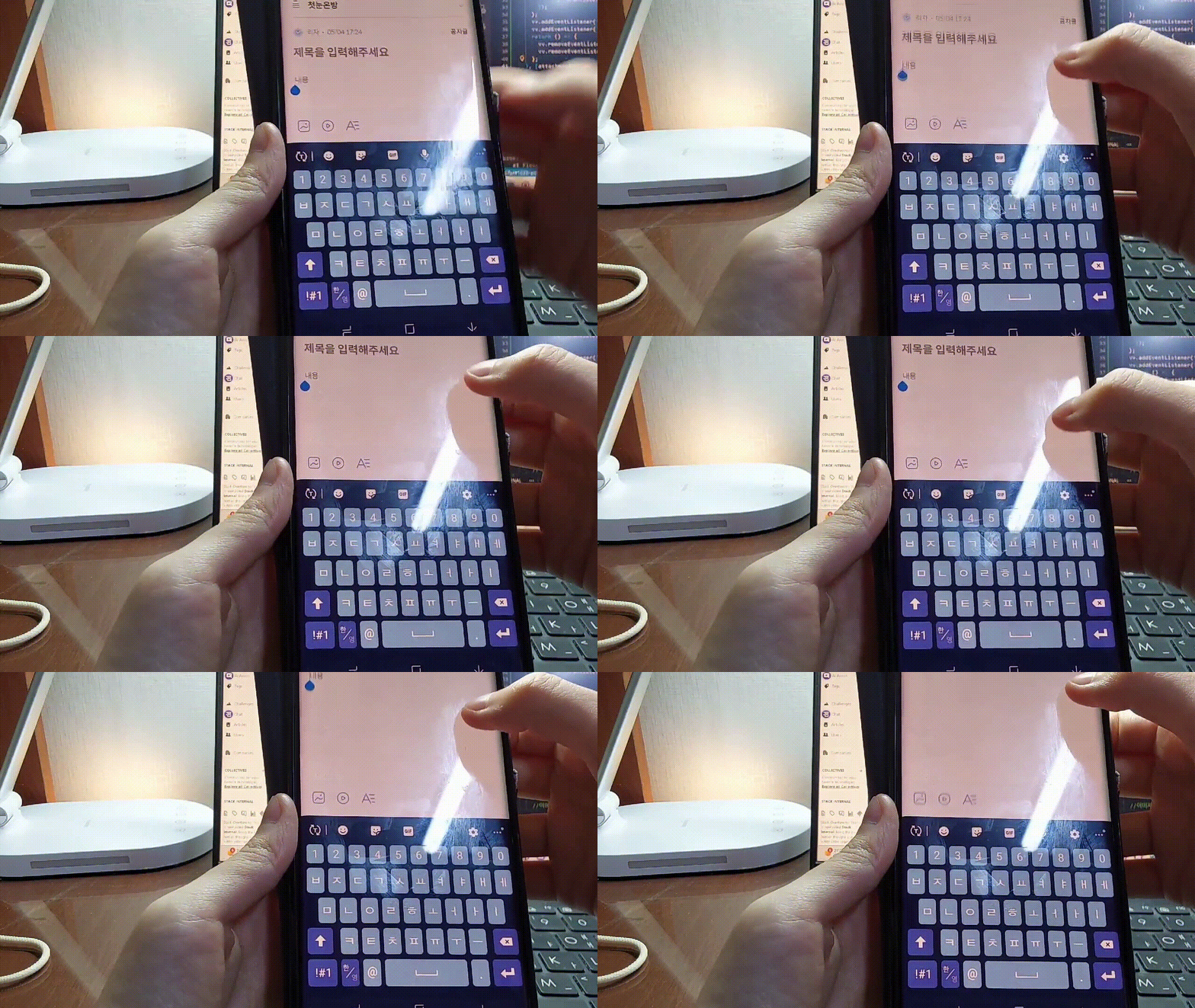
대신 태블릿에서 확인해보니 정말 부드럽게 잘 따라가는것을 확인했다
아무래도 연산력 차이인것 같다.
다른 사이트 참고 및 결론
블라인드 웹
우리 원래 방식대로 되어 있었다.
스크롤하면 attachmentbar이 사라지는 방식이다.
결론
그래서 팀원들에게 상황을 공유하고,
그냥 스크롤하면 사라지는 그대로 둘것인지 아니면
좀 렉걸리고 키보드를 따라다니는것 같아도 내가 작성한 방식대로 할것인지 물어보니

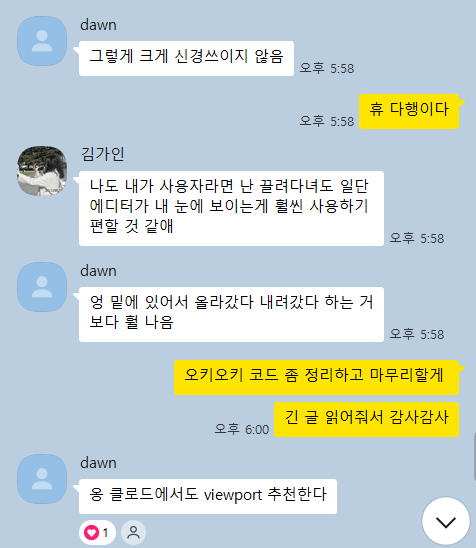
내가 작업한게 괜찮다고 한다.
그래서 이대로 PR을 올릴려고 한다.
'웹프로젝트 > 스노로즈' 카테고리의 다른 글
| [개인] status bar 투명하게 만들 수 있는가: meta theme-color (0) | 2026.05.01 |
|---|---|
| [스노로즈-에디터] 지금까지 작업 정리하기 (0) | 2026.04.19 |
| [스노로즈 코드리뷰] vh 대신 dvh? (0) | 2026.04.13 |
| [스노로즈 코드리뷰] Mock Service Worker (MSW)와 API 모킹 (0) | 2026.04.10 |
| [전체] eslint로 import, export 정렬 (1) | 2026.04.04 |